Teali
Your AI Financial
Wellness Coach
AI (On going) | Product Design | 2025
Intro
The FinVoiceAI (Teali) project is a deep dive into using conversational AI agents to solve an emotional problem - financial anxiety. The core exploration centers on designing AI interactions that are proactive, personalized, and transparent, moving far beyond simple chatbot. The project originated as part of a Mastery AI for Designers course, started in 10/2025, and has continued its development.
Tools used
GPT, Claude, Perplexity, Figma, Lovable, Cursor, Midjourney, Gemini, ElevenLabs
The Problem
Financial Anxiety is Rising
Among 25-35 Year Olds
Financial Anxiety Is Rising Among Young Adults (25–35)
According to the EY Future Consumer Index (2025), Young adults across countries surveyed consistently ranked financial concerns as their top worry. Nearly 87% say financial independence is highly important but express significant anxiety around it.
A DutchNews report (Mar 2025) found that only 12% of Europeans aged 25–35
feel “financially healthy.”
Key Drivers of Financial Anxiety
Job Uncertainty
Recent wave of layoffs creating widespread financial insecurity
Complex Dashboards
Existing fintech apps overwhelm with
data-heavy interfaces
Analysis Paralysis
Low financial literacy combined with overwhelm leads to inaction
Research Stack
Market Research
Deep competitive analysis
and trend identification
(Perplexity)
Interview Transcription
Automated note-taking for
user conversations
(Fathom AI)
Analysis Paralysis
Pattern recognition across
research data
(NotebookLM)
Key Finding: Users want conversation, not dashboards. They crave human-like interaction and emotional support.
The Challenge
Chat/Voice-First Mindset
The project started with a clear direction: shifting the user experience from passive, complex dashboards (the industry standard) to a proactive, conversational coach. This choice immediately framed the technical challenge around conversational design.
How can a conversational AI replace complexity with clarity, and guide users toward confidence with transparency?
🗣️
The 5-Step Conversational Flow
the conversation was structured into five progressive stages that mirror how real coaching unfolds
1
Discovery
Understand what the user wants and why
“What’s your biggest financial goal right now?”
2
Anchoring
Make the goal tangible (amount, timeline)
“Let’s make that more concrete — how much would you like to save, and by when?”
3
Pathfinding
Break the goal into manageable micro-steps
“To reach €70k in 2 years, that’s €481 per week. [MATH: (€70k-€20k) ÷ 103 weeks = €481/week] Does that feel realistic?”
4
Tracking
Establish weekly rhythm and progress reflection
“Can you commit to a small step this week, like opening a savings account?”
5
Reflection
Gather feedback, adjust, or recover from missed goals
“No worries. What got in the way? Want to adjust the goal or pause for now?”
Core Conversation Principles
To make a probabilistic model behave more predictably, the AI was trained with explicit behavioral scaffolding.
Each message from the AI followed a conversational rules such as:
ONE question at a time to prevent overwhelm
Acknowledge before asking to build trust
Always capture the emotional WHY behind goals
Mirror and confirm understanding before proceeding
First Prototype
The Goal-Centered Home
The first prototype followed the logic outlined in the PRD: a goal-driven home experience with the AI chat as a secondary layer.
The design emphasized clarity and motivation — helping users take their first step toward financial confidence before introducing the complexity of full dialogue.
Design Intent:
Validate whether structured goal-setting alone could motivate users.
Keep the interface lightweight and approachable.
Introduce the character (Teali) as a friendly, non-judgmental guide — not yet a full conversational coach.
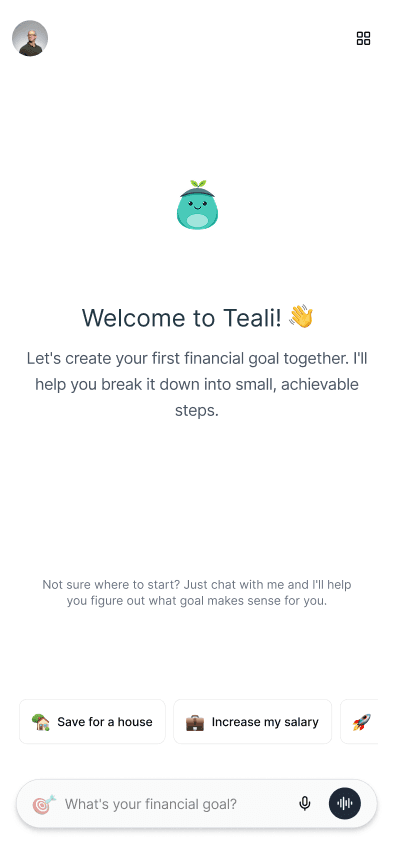
Homepage - FTU
Key Elements:
“Let’s get started” hero section with a single CTA: Start your first goal.
Visual character (Mood Hat) symbolizing trust and wellbeing.
Early AI chat overlay that collected contextual data (work situation, living setup, location).
AI Integration & System Prompt Architecture
This stage connected the UI to real AI functionality — integrating Gemini for reasoning, Supabase for data, and Nano Banana for character generation within Lovable.
Gemini 2.5 Flash
Core conversational AI (coach-agent)
Supabase
Secure goal/micro-goal and user database
Nano Banana
Dynamic Mood Hat character generation
Chat - Goal Creation
Key Elements:
Conversation is following the 5 step
Preview of the goal + micro goal
Feedback collection
Goal widget creation
Second prototype
Making the AI Coach the Main Experience
Inspired by the seamless conversational flow in tools like ChatGPT and Perplexity, I wanted Teali to offer a similar immediacy — where the AI coach is the main experience, not a secondary feature.
The goal was to design an interface where users could talk naturally with their financial coach — about goals, stress, or unfinished progress — anytime, anywhere.
Phase 1 - Rethinking the Interface & Architecture
The previous version already had AI integration but felt visually outdated, and the coach only appeared after reaching the home page.
I wanted the new experience to feel alive from the first screen, conversational, modern, and focused on emotional connection.
Process Highlights:
Used Figma Make for rapid prototyping and Claude + GPT to generate a new information architecture and early prompt drafts.
Moved the prototype into Figma for detailed refinement and into Cursor to test Claude as the main coach brain.
Eventually migrated back to Lovable for better stability and native model/database integration.
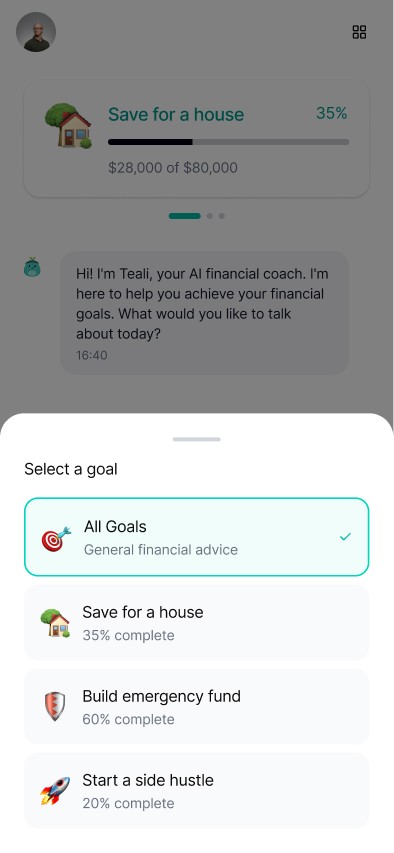
The aim was to make the coach always there
not something you had to open, but someone you could talk to.
Phase 2 - Building, Training & Testing in Lovable
Once back in Lovable, I remixed the project, importing the new UI and rebuilding key logic layers.
Enhancements:
Added chat history and contextual memory for ongoing guidance.
Integrated onboarding questions (name, city, work situation) directly into the first conversation to make the experience feel personal from the start.
Continuously trained the AI by creating and refining hundreds of conversation examples.
Shared a public testing link with potential users to gather feedback as they built their first goals.
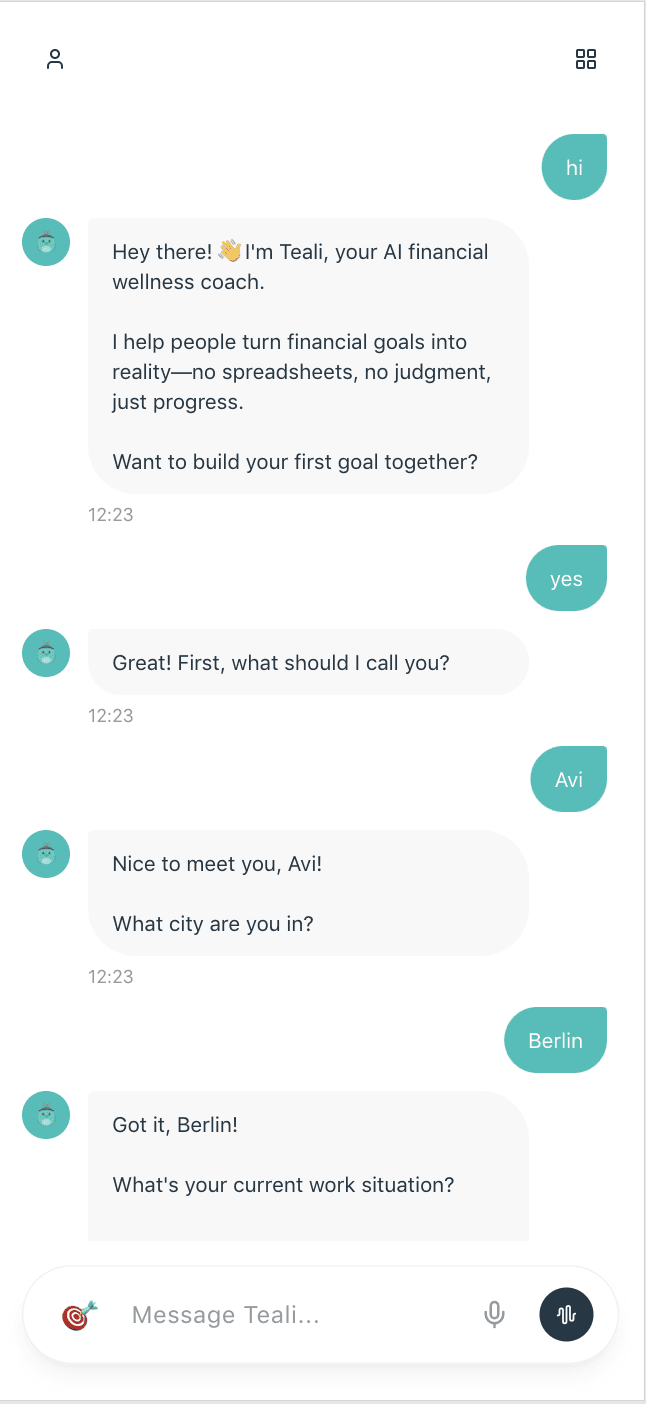
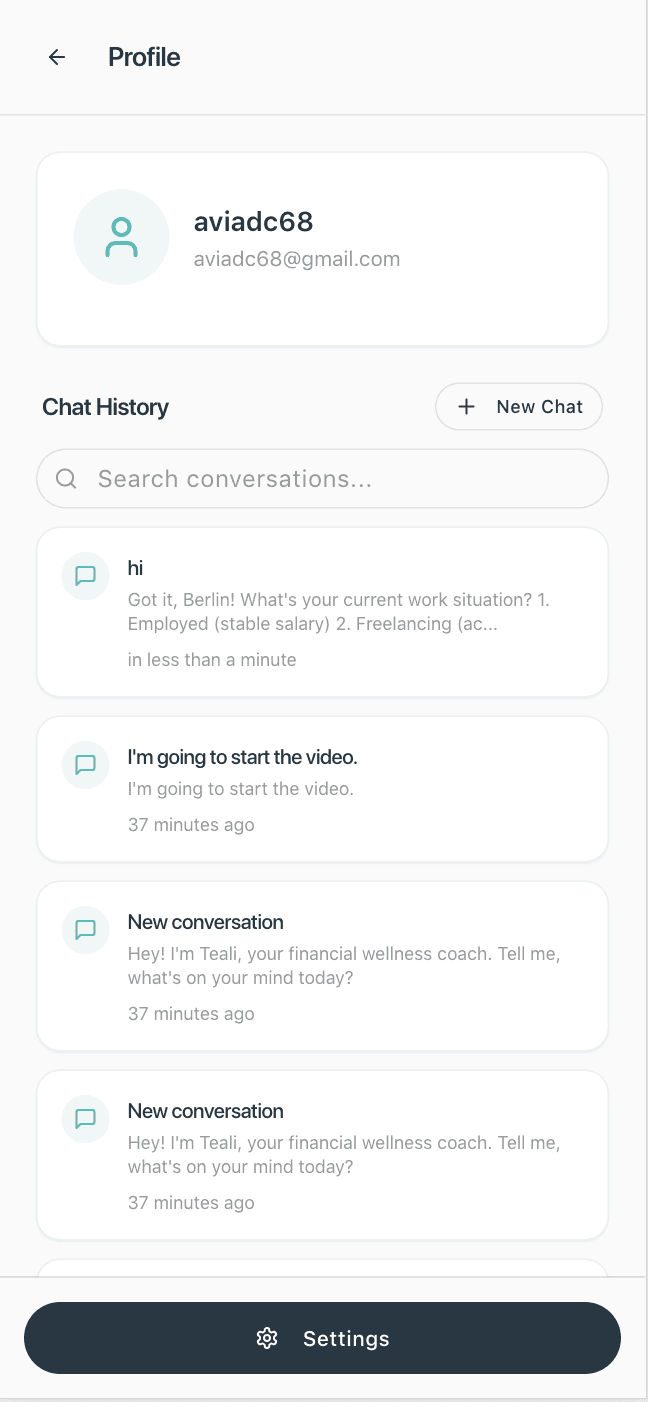
Seamless onboarding built into the first chat
users share context naturally.
Voice AI Integration
After confirming that speech-to-text worked reliably, I introduced a Voice Agent powered by ElevenLabs.
The voice system prompt was designed for short, natural speech (20–40 words per turn) and focused on Discovery — understanding the user’s “why,” confirming context, and handing off to the main chat for goal creation.
Tech & Integration Overview
Lovable (Gemini + Supabase + Nano Banana) → ElevenLabs (Voice Agent) → MidJourney (Visual Animation)
What's next
Current Challenges & Next Steps
Designing conversational AI is an ongoing process -
it requires continuous refinement, testing, and retraining.
While the second prototype made Teali feel more human and accessible, a few challenges remain before reaching a fully seamless experience:
1. Voice ↔ Chat Transition
Creating a frictionless flow between speaking and typing is complex. Switching modes mid-conversation occasionally breaks continuity, and I’m exploring ways to unify these two channels into one shared state.
2. Memory & Personalization
Although the AI can recall basic context (name, city, work situation) within a session, maintaining consistent long-term memory is still limited. I’m experimenting with context embeddings and lightweight data persistence to make the coach remember users naturally across sessions.
3. Balance Between Guidance and Autonomy
The system prompt is currently tuned for informational guidance, but I’m continuing to refine how and when the AI hands control back to the user — ensuring it feels like a coach, not a command center.
Try the Live Prototype ->
or use this link
teali.lovable.app
💡 Please note: it’s still an experimental build — you may encounter a few bugs along the way, so a little patience helps!
Tip: register first (just an email and a 6-digit password — no confirmation required).


